
To enable e-prescribing through your EHR, you’ll need to complete a quick identity verification process with Persona Trust and upload your confirmation document. This ensures secure prescribing and compliance with regulations.
Step 1: Schedule Your Persona Trust Verification
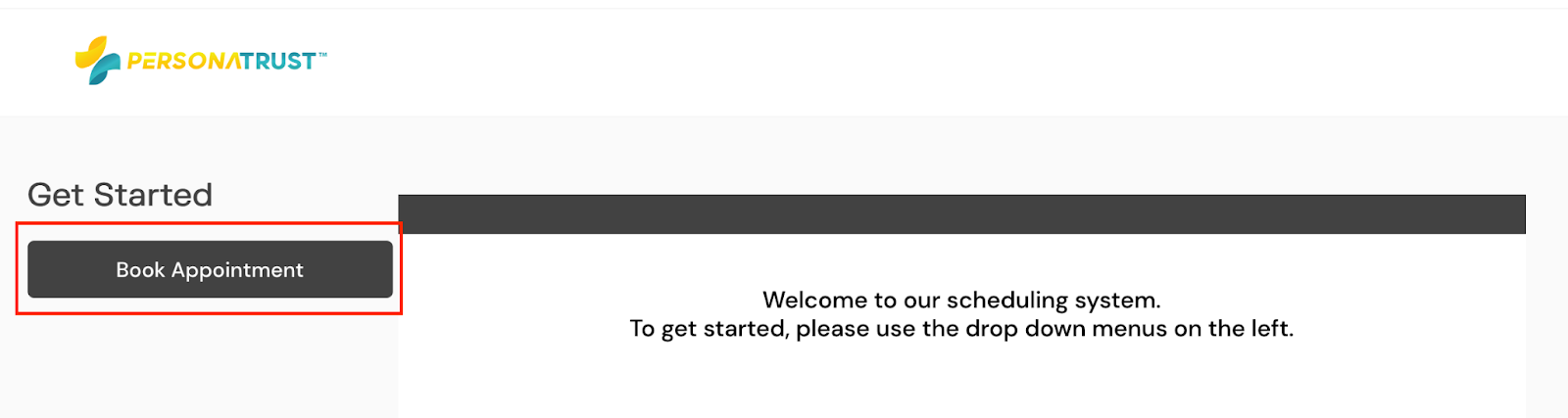
✅ Do this: Click here to schedule a convenient time for your identity verification appointment with Persona Trust.
- Click “Book Appointment”
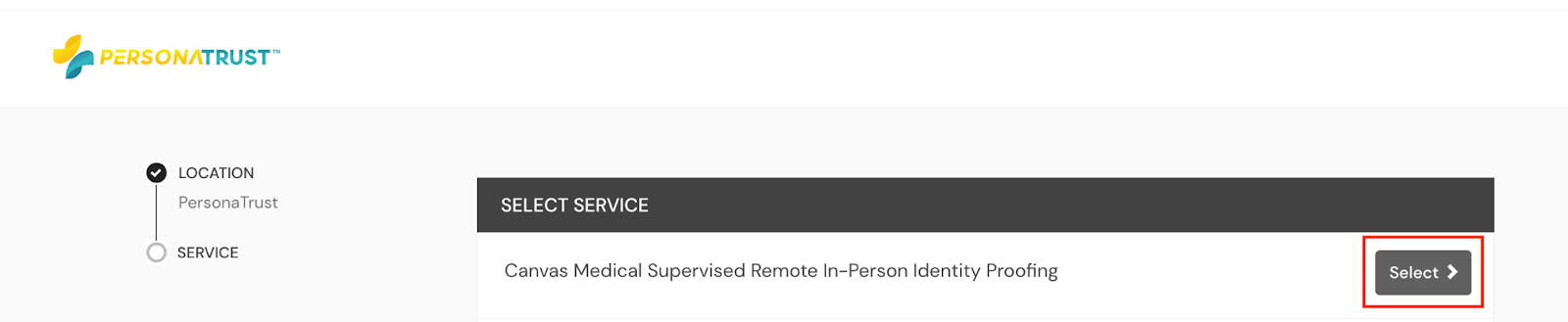
- Select “Canvas Medical Supervised Remote In-Person Identity Proofing” option
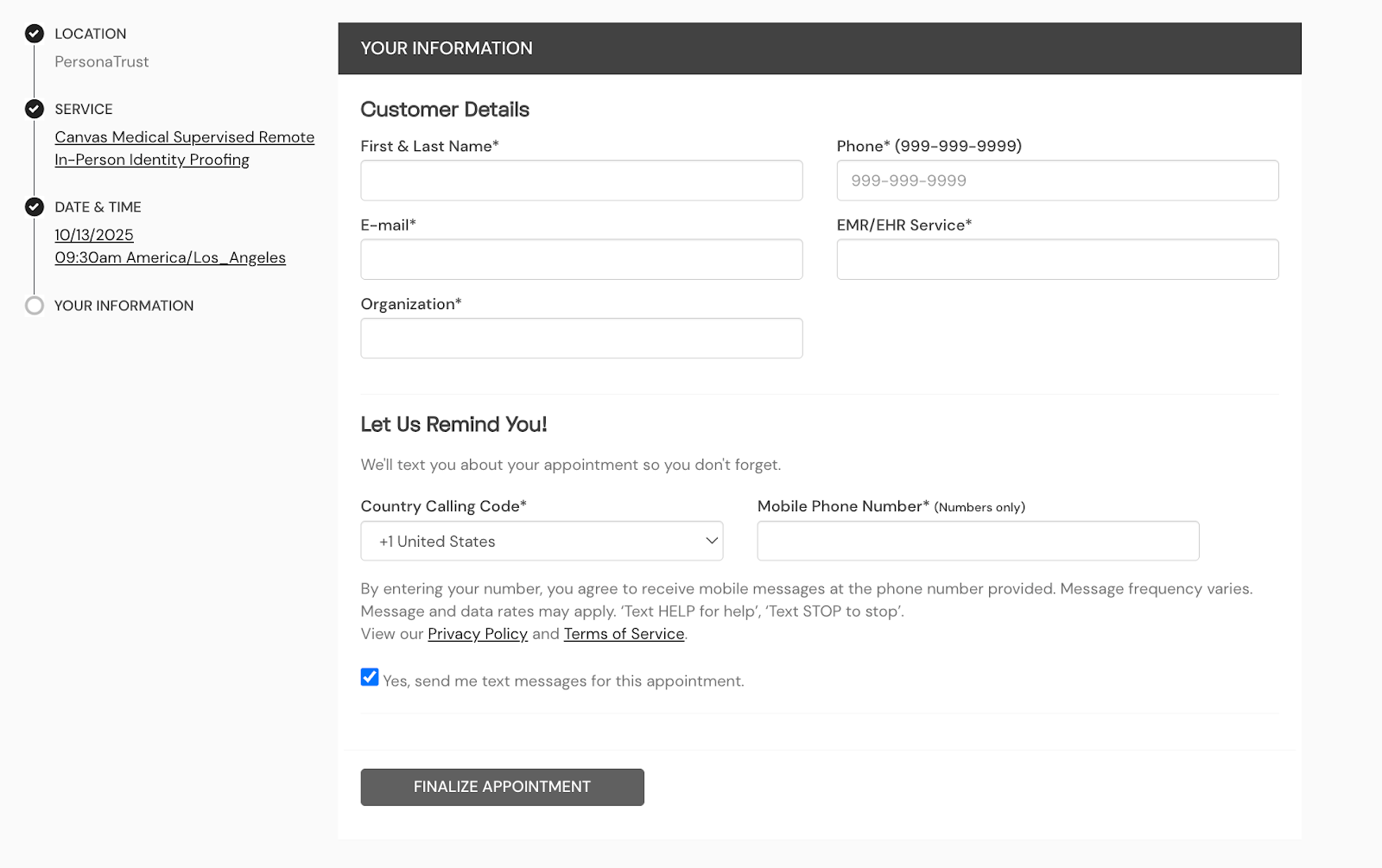
- Choose a date & time that’s convenient for you and enter your personal & professional details to book the appointment
Step 2: Complete Your Verification Appointment
✅ Do this: At the scheduled time, join your Persona Trust appointment and complete the identity proofing process.
Step 3: Save and Upload Your Confirmation Document
✅ Do this: After your appointment, download or save the verification confirmation document.
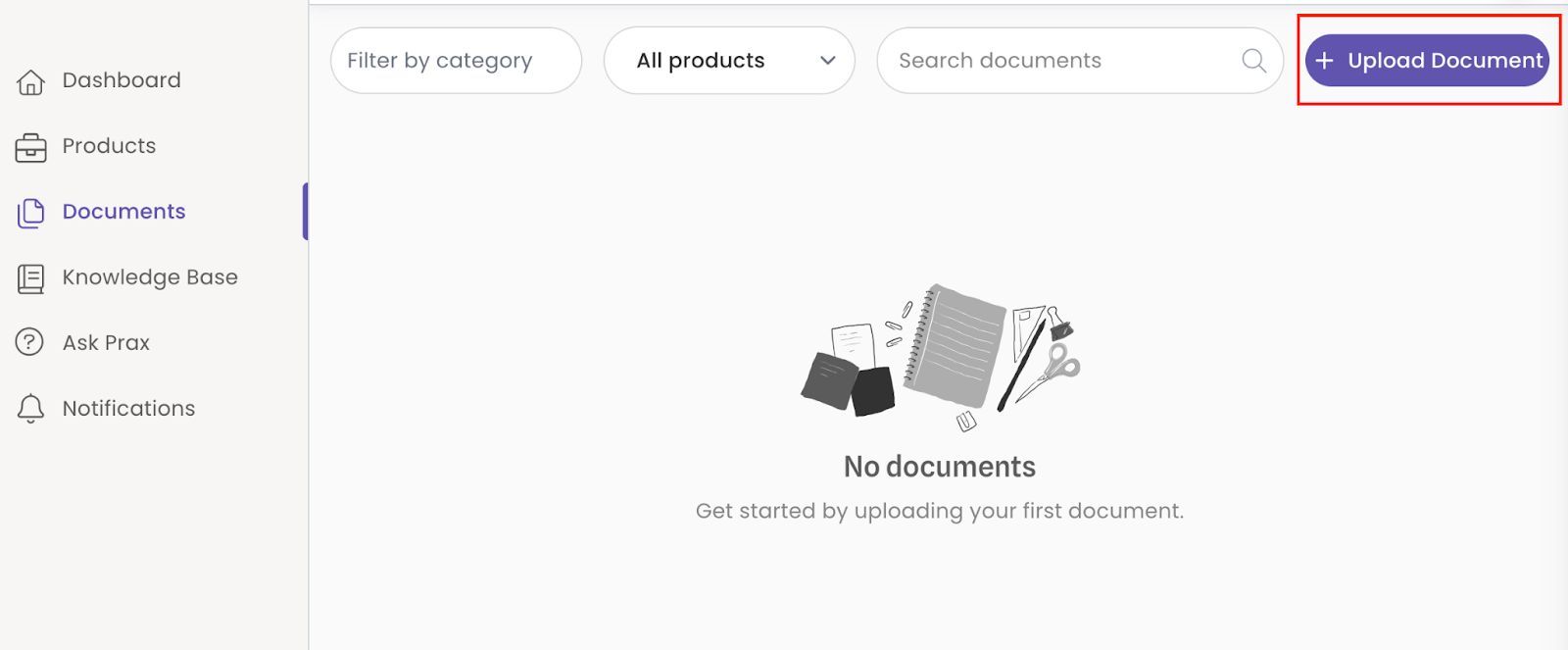
✅ Do this: Log into your Prax Dashboard, go to the Documents section, and upload your confirmation.
Step 4: Next Steps
Once your verification is uploaded, the Prax team will confirm your identity proofing is complete. After that, you’ll be ready to begin sending e-prescriptions through your EHR.
Summary
- Schedule and complete your Persona Trust verification.
- Save the confirmation document.
- Upload it in the Documents section of your Prax Dashboard.
- Prax will confirm and enable e-prescribing.